
For the congregation
Events, groups, sermons, announcements, forms and giving, plus the directory if your church uses it. New people ask to join, and someone on your staff approves them.
Every church on ChurchFoundry has an app for its members. Add the branded app, and it has your church's name and icon in the stores.
Members open the app for this week's events, last Sunday's sermon, their group, the Bible and giving. With the branded app add-on, it carries your church's name, icon and colors.
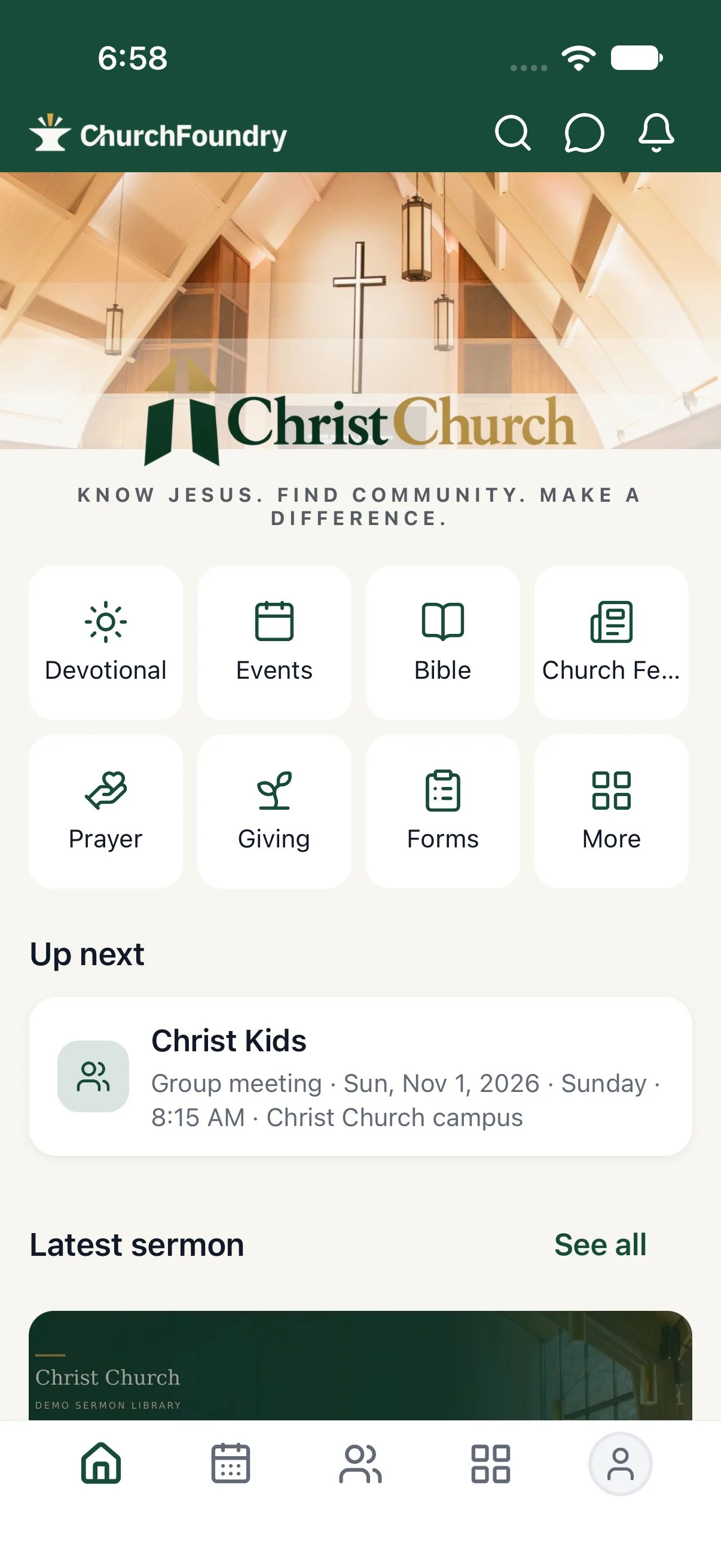
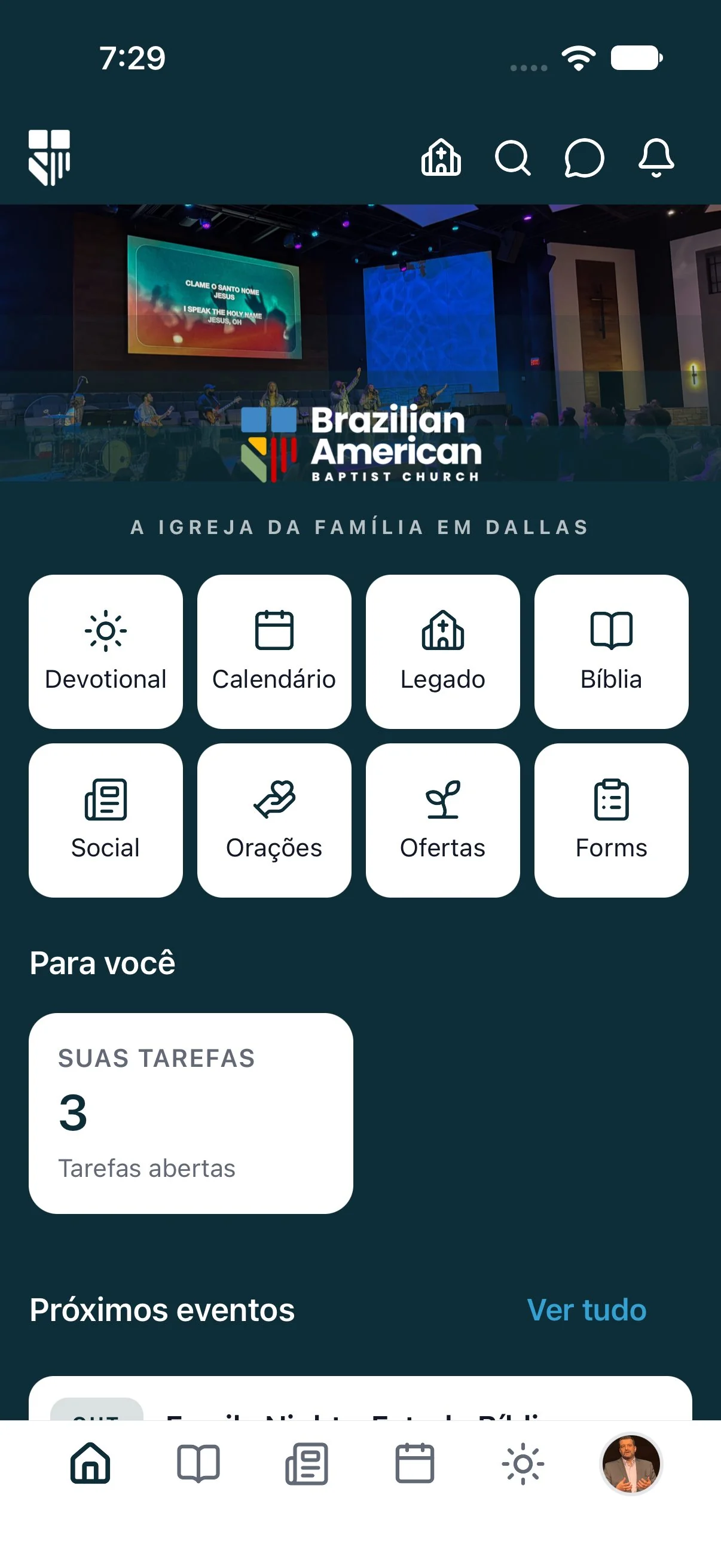
With the branded app add-on, members download an app with your church's name and icon from the App Store and Google Play.
Announcements, schedule requests and “we’re live” reach the lock screen, and members choose which kinds they want.
Each member picks their own language, so the Portuguese and English speakers in one congregation both feel at home.
Bible reading with highlights and bookmarks, plus daily devotionals, for the six days between Sundays.
Members give to the fund they choose and see their own giving history and statements.
Last Sunday's message, the series it belongs to, and the audio and video, ready when someone missed church.
How it works
Decide which app you’ll use: the ChurchFoundry app, set up under Settings → ChurchFoundry app, or a branded app if you have the add-on.
On the ChurchFoundry app page, add your logo and cover and choose the features to show. With a branded app, work through the App builder under Settings → Your app instead.
Members see Home, events, groups and the features you turned on; staff also get the Ministry tools their permissions allow. Ask one of each to tell you what they see.
Some tools depend on your plan, and each person sees what their role allows. Compare plans or take the product tour.
You choose what goes in the app: events with RSVPs, groups and group chat, giving, sermons and your live stream, the prayer wall, a members-only feed, forms, announcements, and Bible reading, devotionals and studies. Home shows what’s next for that person, the latest sermon and anything new, and it hides sections that have nothing in them.
If you turn on worship playlists, members also get the songs from Sunday in the order you sang them, with links to listen again on Spotify or YouTube.
Every church can use the ChurchFoundry app. Members install it, find your church and ask to join, and they see a Home with your church’s name and the tools you’ve turned on.
A branded app is an add-on. It carries your church’s name and icon in the App Store and Google Play, your colors, your cover photo and tagline on Home, and up to eight shortcut tiles. You set it up in Settings → Your app with a phone preview beside the form, and we build it and submit it to Apple and Google, who review every new app before it appears. After that, changes to the cover photo, tagline, tiles and Home sections reach phones straight away. Colors, icon, logo, app name and the tab bar are built into the app, so changing those means a new release.
Staff open the Ministry tab, or the Church icon in a branded app, and find the tools their role allows: approve join requests, follow up with guests, check Pulse, add a care note with a follow-up date, look someone up and edit their details, publish a draft service plan, add or change an event, see their appointments, change roles in a group roster, post an announcement with a push and answer texts.
Branded apps and the ChurchFoundry app share the same code for all of this, so nobody loses a staff tool by choosing one or the other. Each staff member chooses how they hear about join requests: right away, as an hourly or daily summary, or not at all. A tablet can also be set up from the sign-in screen as a check-in station for Sunday.
Sign in as an ordinary member and then as a pastor, and walk through both. Check the Home tiles, which features are on and who gets join-request alerts. Then put the store links on the screen one Sunday and give people five minutes to install it.
By Moriah LLC, makers of ChurchFoundry · Reviewed
Yes. Every church app is built from the same code as the ChurchFoundry app, and what each person can do depends on their role.
No. It’s an optional add-on, priced on the pricing page.
Colors, icon, logo, app name and the tab bar. The cover photo, tagline, Home tiles and Home sections update on members’ phones without one.
Decide which app your members will use, make its Home look like your church, and try it with a few people before you announce it from the front.
Walk through four everyday jobs on real screens, at your own pace, and see how the pieces fit together.
One directory for everyone your church knows, from long-time members to last Sunday’s visitor, with the family ties and history your team relies on.
Announcements for everyone, email and push for the people a message is meant for, texting on your church’s own number and group chat for everything in between, all from the same directory.
Published plan prices, a Free plan, and 30 days to try every feature.